David K wrote:
Is there a way to use the PRINT SCREEN button on the keyboard to make a screenshot that I can then open on the clipboard of various image-editing programs? I suspect that my PRINT SCREEN button may possibly even be defective!
Thanks,
David K
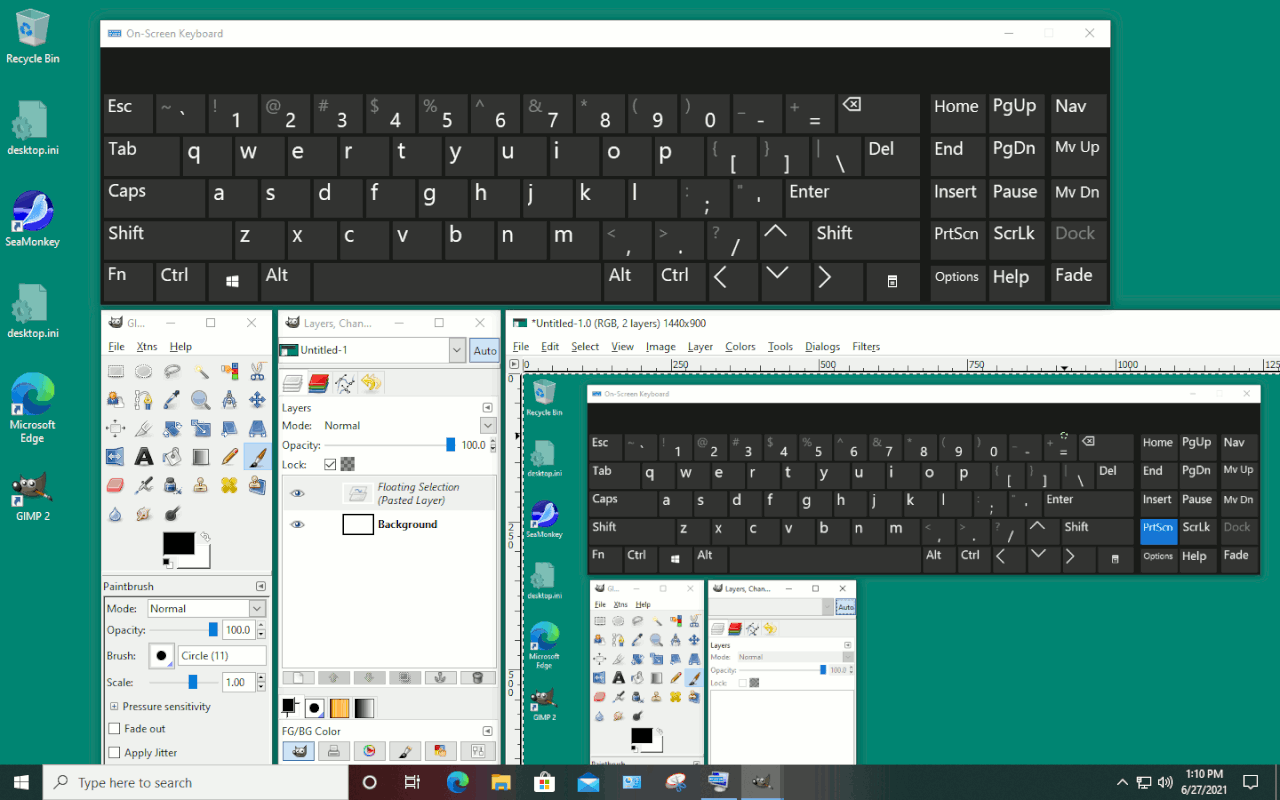
You can test with osk.exe, which has a PrtScn button.
In my example here, in the graphics tool, you can see my
pasted screenshot catches OSK while PrtScn button is
depressed and highlighted.
https://i.postimg.cc/0yq6pYbj/print-screen-to-gimp-pasted.gif
Paul
--- Synchronet 3.20a-Win32 NewsLink 1.114