On 9/20/2023 4:45 PM, Lee wrote:
When trying to view all the image files that I've saved on my Dell PC since my latest personal file backup in Microsoft Windows 10 File Explorer, for some bizarre, ridiculous reason, File Explorer now goes through the all image files of the subfolder that a particular photo is in when I click on the arrow on the right side, rather than all the image files that came up listed when I did a date modified search. WHY?!?!?! It makes absolutely no sense at all! How can I get File Explorer to change back to the way it used to be, which makes much more sense? PLEASE HELP - I would very much appreciate it; thanks.
Win11 is not doing that right now, Win10 is doing it.
On my Shared partition S: . (Which means it can't be
the "desktop.ini" file, because it's the same folder really.)
It's not a function of the OS, but it seems to have been a side effect of changing Grouping or Sort On None, something like that,
and then it started with that Green Bar Shit.
I can't see a difference that stands out here. That's the
problem with Microsoft storing info in the Registry, you
never know what additional entries might be doing something.
https://www.nirsoft.net/utils/shell_bags_view.html
*******
"How to fix slow loading folders green loading bar in Windows 10"
https://www.youtube.com/watch?v=zfM1T10wil8
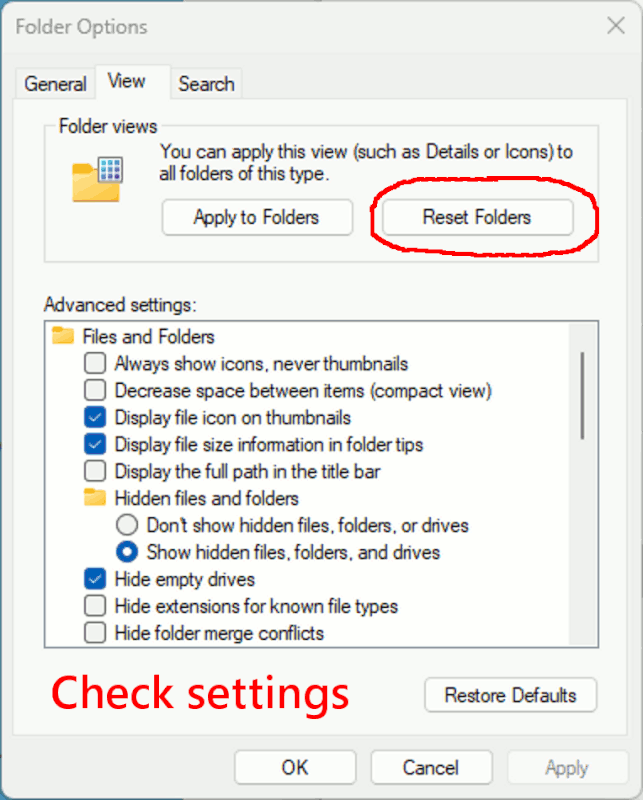
Where they hide Folder Options, varies with OS. It's usually in the Ribbon
in File Explorer. It could be "on one end of the ribbon". It may be
hiding in a drop down. But the dialog we expect to get,
always seems to look the same.
[Picture]
https://i.postimg.cc/0Qt4cgXc/reset-folders.gif
I don't know if that will help, because when mine stopped
doing it, I don't really know what thing I did that helped.
It took me several days to (randomly) get a result.
Paul
--- Synchronet 3.20a-Win32 NewsLink 1.114