Sorry if this is a ridiculous question, but does anyone know if Corel Photo-Paint Version 7.0 is compatible with Windows 10? I know that it's compatible with Windows 7, but is it compatible with Windows 10 as well?
I do realize that Version 7.0 is very old. Thanks to anyone who tries to helpfully reply.
On Thu, 10 Dec 2020 00:15:06 -0800 (PST), Lee wrote:--- Synchronet 3.20a-Win32 NewsLink 1.114
Sorry if this is a ridiculous question, but does anyone know if Corel Photo-Paint Version 7.0 is compatible with Windows 10? I know that it's compatible with Windows 7, but is it compatible with Windows 10 as well?I don't see any reason why it shouldn't. There's not much of a crucial difference between Windows 10 and Windows 7. IMO, Windows 10 is still based on Vista kernel.
I do realize that Version 7.0 is very old. Thanks to anyone who tries to helpfully reply.
Even if it has a problem, it shouldn't be a severe one, and it should be solvable using Windows' application compatibility setting.
Thanks, but I just got a new Dell Inspiron 3880 PC on Windows 10 on Monday morning, and I've discovered that I can't get Corel Photo-Paint 7.0 to run on it. I've tried looking for the installation program, and the only apparently possible one that I could find was "Photopnt.exe" in the "Draw Select" folder, but when I click on it, I get the following error or failure message -
Could not open \corelapp.ini.
Please check Key:
"HKEY_LOCAL_MACHINE\SOFTWARE\Corel\CORELDRAW\7.0"
Value: "ConfigDir" in the Registry.
Could anyone PLEASE help? I would tremendously appreciate any sincere efforts to help - THANKS very much!
On Thursday, December 10, 2020 at 4:18:20 AM UTC-5, JJ wrote:
On Thu, 10 Dec 2020 00:15:06 -0800 (PST), Lee wrote:
Sorry if this is a ridiculous question, but does anyone know if CorelI don't see any reason why it shouldn't. There's not much of a crucial
Photo-Paint Version 7.0 is compatible with Windows 10? I know that it's >>> compatible with Windows 7, but is it compatible with Windows 10 as well? >>> I do realize that Version 7.0 is very old. Thanks to anyone who tries to >>> helpfully reply.
difference between Windows 10 and Windows 7. IMO, Windows 10 is still based >> on Vista kernel.
Even if it has a problem, it shouldn't be a severe one, and it should be
solvable using Windows' application compatibility setting.
Lee wrote:--- Synchronet 3.20a-Win32 NewsLink 1.114
Thanks, but I just got a new Dell Inspiron 3880 PC on Windows 10 on Monday morning, and I've discovered that I can't get Corel Photo-Paint 7.0 to run on it. I've tried looking for the installation program, and the only apparently possible one that I could find was "Photopnt.exe" in the "Draw Select" folder, but when I click on it, I get the following error or failure message -
Could not open \corelapp.ini.
Please check Key:
"HKEY_LOCAL_MACHINE\SOFTWARE\Corel\CORELDRAW\7.0"
Value: "ConfigDir" in the Registry.
Could anyone PLEASE help? I would tremendously appreciate any sincere efforts to help - THANKS very much!
On Thursday, December 10, 2020 at 4:18:20 AM UTC-5, JJ wrote:The most straight-forward solution would be to download
On Thu, 10 Dec 2020 00:15:06 -0800 (PST), Lee wrote:
Sorry if this is a ridiculous question, but does anyone know if Corel >>> Photo-Paint Version 7.0 is compatible with Windows 10? I know that it's >>> compatible with Windows 7, but is it compatible with Windows 10 as well? >>> I do realize that Version 7.0 is very old. Thanks to anyone who tries to >>> helpfully reply.I don't see any reason why it shouldn't. There's not much of a crucial
difference between Windows 10 and Windows 7. IMO, Windows 10 is still based
on Vista kernel.
Even if it has a problem, it shouldn't be a severe one, and it should be >> solvable using Windows' application compatibility setting.
a cracked one. But just about anything could happen if
you did that.
The second most likely option, is to virtualize the hard drive
from the previous computer. You could activate the OS with
DazLoader, while running it in the free Oracle VirtualBox program.
Corel released this, for Linux, long ago. At the time,
Corel was promoting the sale of "Corel Linux", and this
suite was offered to run on Corel Linux, plus Debian and
one other. The problem with running an old Linux like
this, is getting the old OS to run. There would be no
distribution server to get packages from. And this
needs WINE post-installed, to work. And an up-to-date
(for the time) GLIB version. The amount of work and hairloss
to do it this way, would not be easy either. Even though
this package is just sitting there...
Name: CorelPHOTOPAINT9Lnx.tar.gz
Size: 186901451 bytes (178 MiB)
SHA1: C8DF37FE187A386815246C2212B23B6CE64614B1
I think I already tried to get that one working :-)
The file "Photopnt.exe" is likely to be the runtime, not
the installer. That's why it is searching for that .ini file.
Paul
Thanks, Paul, but if I still have the serial number, which I
believe is used for the key code for Corel, esp. as I couldn't
find anything else similar, wouldn't that give me other options
rather than downloading a cracked one? As for Linux & most
everything else you mentioned, I appreciate the suggestions, but unfortunately I'm unfamiliar with them. Although I'm not exactly
a computer newbie, I'm certainly no expert or advanced user either,
so any other suggestions would be very much appreciated - thanks
very much again.
DLee
Lee wrote:--- Synchronet 3.20a-Win32 NewsLink 1.114
Thanks, Paul, but if I still have the serial number, which I
believe is used for the key code for Corel, esp. as I couldn't
find anything else similar, wouldn't that give me other options
rather than downloading a cracked one? As for Linux & most
everything else you mentioned, I appreciate the suggestions, but unfortunately I'm unfamiliar with them. Although I'm not exactly
a computer newbie, I'm certainly no expert or advanced user either,
so any other suggestions would be very much appreciated - thanks
very much again.
DLeeThe trial versions, are the closest thing to an installer,
but those are removed from virtually all sites by COREL chasing
after people, and you would not expect to find a trial that
works.
Some of the installers use "stub" 1MB web installers, again,
content is only available for as long as the master web
server, serves it.
In effect, Corel wants it this way. Unless you archive
what the web installer collects, in the year of introduction
of the version, you will have nothing to work with later.
That's why virtualizing the hard drive from the old computer
is attractive. Without an installer, all you can do is try and
use the environment it ran in previously.
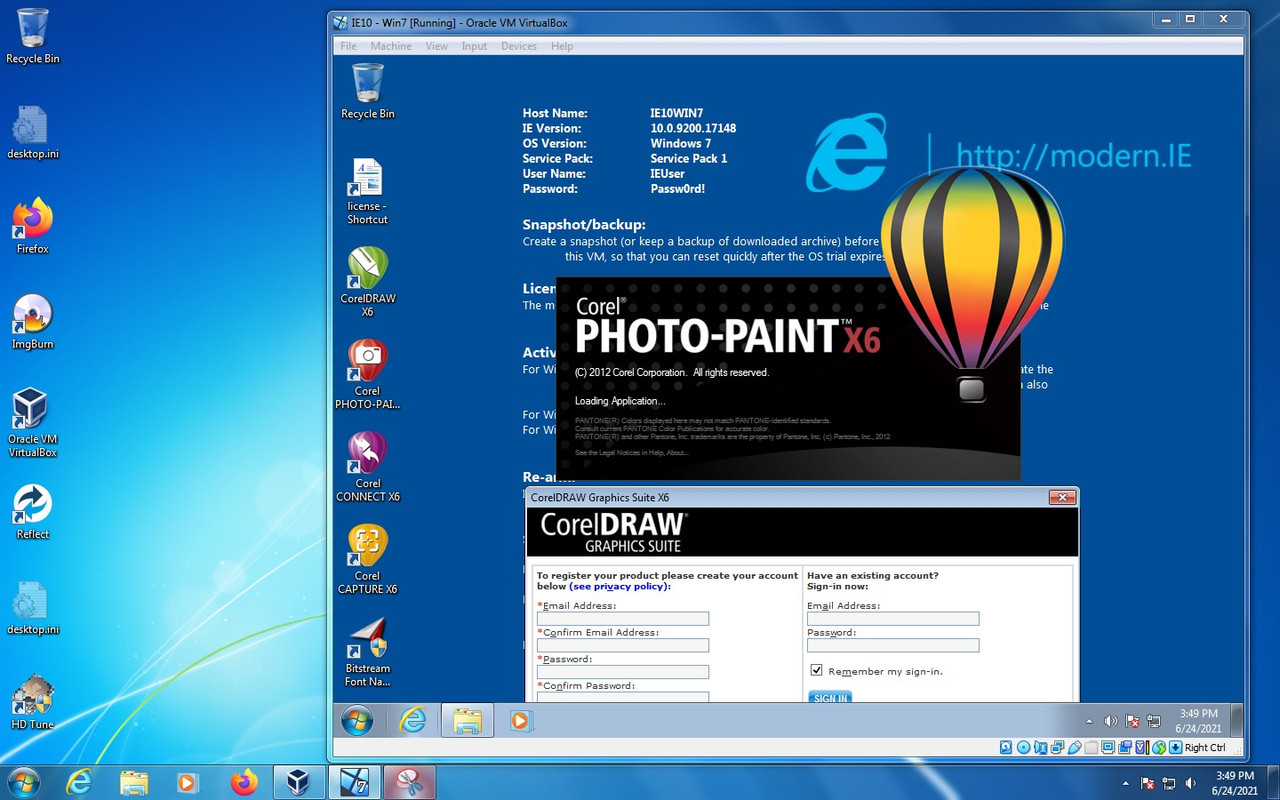
This is as far as I got, trying to make a picture of what
running Photopaint in a VM would look like. This is CorelDraw suite trial
on Windows 7 trial on Windows 7 Pro licensed. I could not complete
the setup of CorelDraw trial, because it requires an email registration
as a mandatory step, and I doubt Corel would send the appropriate
email to me for a product released in 2011.
https://i.postimg.cc/T3t7QwRb/photopaint.jpg
I think you can run VirtualBox in full screen mode too, so
it doesn't have to be windowed like that. But I always
run it windowed, for safety.
Paul
Well, as it turned out, thanks very for all the suggestions, Paul, but what I did was search through a lot of my personal clutter, and although it took me more than an hour, I finally managed to find my old CD for Corel Draw (Version 7), and when I used it to install Corel Photo-Paint 7 on my new Dell Inspiron 3880 PC that runs on Windows 10, I had no problems at all. But now I have a different problem. How can I use the "Print Screen" button on my keyboard to copy an image to the clipboard in CPP7, as I was able to do on my previous PC (an HP) on Windows 7? I can't remember how I did it in Windows 7, but I think it had something to do with setting certain programs to open with certain types or files, or something like that, which I haven't been able to figure out how to do yet on Windows 10. Any further suggestions would be very much appreciated - THANKS again for EVERYTHING.
On Thursday, June 24, 2021 at 4:04:49 PM UTC-4, Paul wrote:
Lee wrote:
Thanks, Paul, but if I still have the serial number, which I
believe is used for the key code for Corel, esp. as I couldn't
find anything else similar, wouldn't that give me other options
rather than downloading a cracked one? As for Linux & most
everything else you mentioned, I appreciate the suggestions, but
unfortunately I'm unfamiliar with them. Although I'm not exactly
a computer newbie, I'm certainly no expert or advanced user either,
so any other suggestions would be very much appreciated - thanks
very much again.
DLee
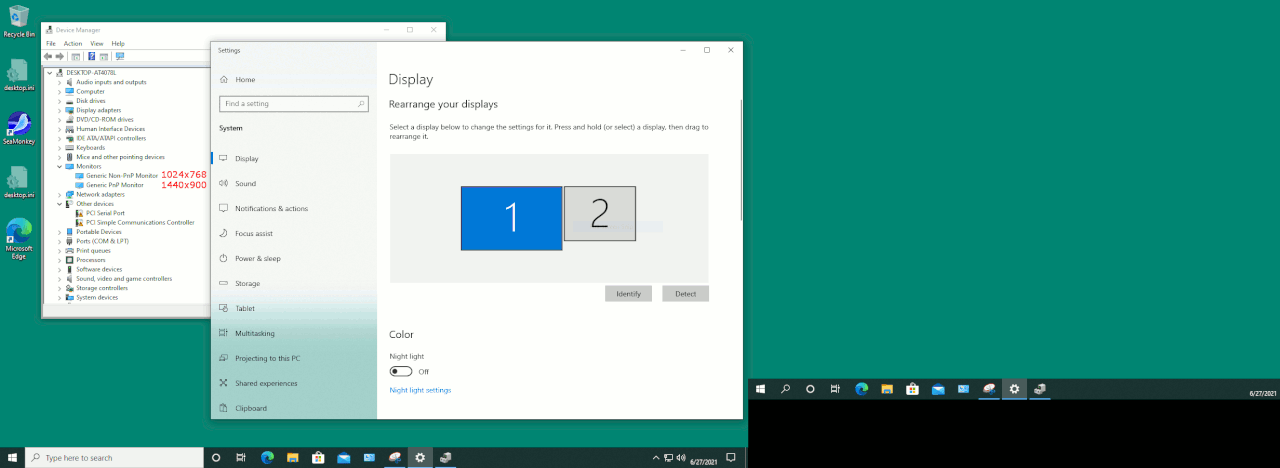
The output is a file.--- Synchronet 3.20a-Win32 NewsLink 1.114
Here, I did a "screenshot" of a dual monitor setup, using snippingtool.exe . The two monitors, are different sizes, and I asked for the whole
screen to be captured.
https://i.postimg.cc/ydDTLSz5/screens-two.gif
When you run snippingtool.exe, you can right-click the icon
in the Task Bar and select "Pin to Taskbar". That way, it's
always available for screen captures. All my setups here
keep snippingtool in the Taskbar, because I take a lot of
pictures.
Paul
Thanks for that, Paul, but isn't there a way that I can get the screenshot function to copy the image to the clipboard in Corel Photo-Paint 7? Whenever I take a screenshot, I go in CPP7 & click on "New from Clipboard" on the drop-down menu for "File" in the upper left corner of CPP7, but all I get is some type of illegible text of something that I had copied before rather than the image that I just took a screenshot of.
I somehow got it to work fine on Windows 7 on my old HP PC, but I haven't yet figured out how to do so on Windows 10 on my new Dell PC. I seem to remember a way to open certain types of files with certain programs for Windows 7, and I think that's likely how I somehow got the image clipboard from screenshots to open in CPP7.
Lee wrote:--- Synchronet 3.20a-Win32 NewsLink 1.114
Thanks for that, Paul, but isn't there a way that I can get the screenshot function to copy the image to the clipboard in Corel Photo-Paint 7? Whenever I take a screenshot, I go in CPP7 & click on "New from Clipboard" on the drop-down menu for "File" in the upper left corner of CPP7, but all I get is some type of illegible text of something that I had copied before rather than the image that I just took a screenshot of.
I somehow got it to work fine on Windows 7 on my old HP PC, but I haven't yet figured out how to do so on Windows 10 on my new Dell PC. I seem to remember a way to open certain types of files with certain programs for Windows 7, and I think that's likely how I somehow got the image clipboard from screenshots to open in CPP7.
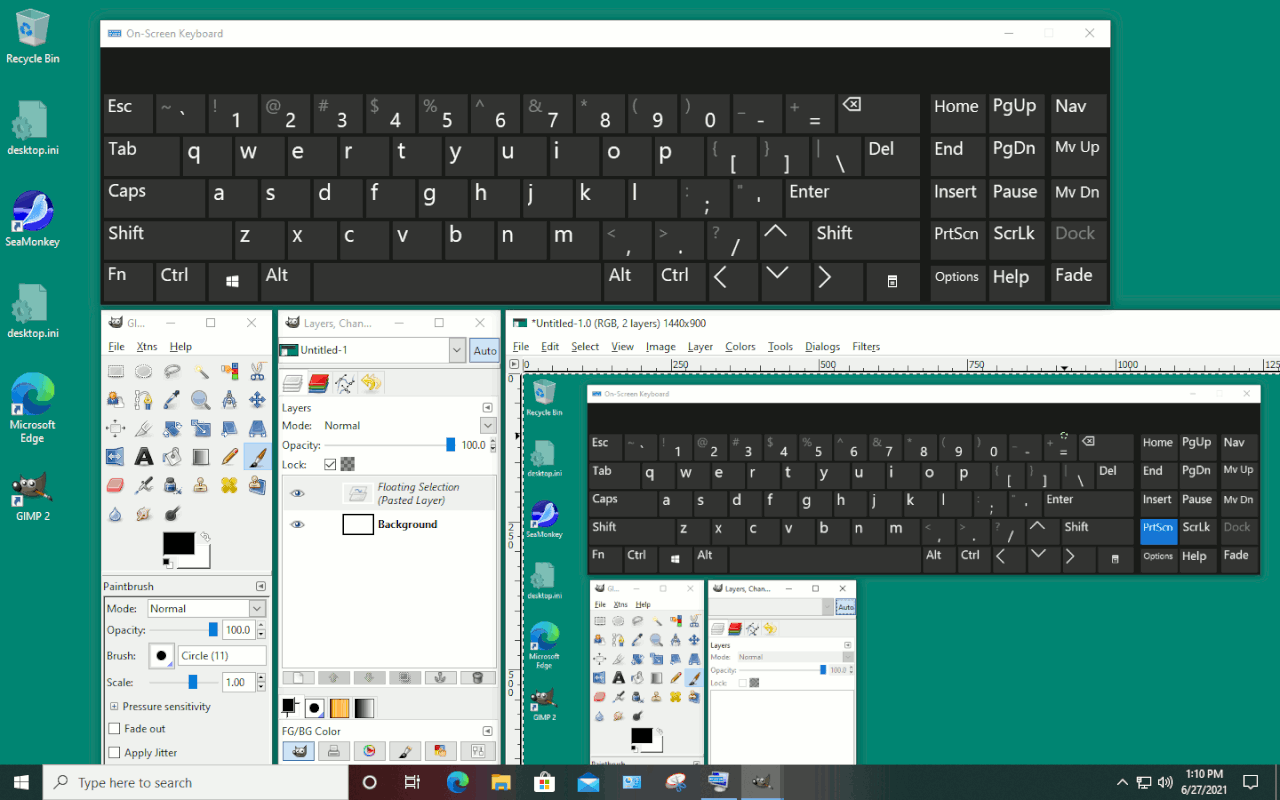
Start : Run : osk.exe
That's the onscreen keyboard.
Click the "PRTSCN" key on the virtual keyboard.
Go to PAINTSHP and control-v to paste into the
open image and see if that works.
I tested osk.exe on my W21H1 install and it worked,
into GIMP. In GIMP, you'd use control-v to paste.
In this example, I took a picture of the screen (where
I'm set up to take the picture), then pasted into GIMP.
https://i.postimg.cc/0yq6pYbj/print-screen-to-gimp-pasted.gif
*******
Now, if that works, yet your keyboard doesn't, you can
also use "osk.exe" to "monitor" the keyboard. Maybe it
takes shift-prtscn to get the PRTSCN button in osk.exe
to toggle state ? Try key combos until the osk.exe
PRTSCN button toggles.
(One of the reasons I'm using osk.exe for this, is my "new"
keyboard doesn't even have a PRTSCN! I didn't even notice.
The designers placed the backlight LED controls where the
three buttons, the Break and Prtscn group used to be.)
Paul
| Sysop: | Gargoyle |
|---|---|
| Location: | Wayne, OK |
| Users: | 9 |
| Nodes: | 10 (0 / 10) |
| Uptime: | 149:00:30 |
| Calls: | 136 |
| Calls today: | 1 |
| Files: | 309 |
| Messages: | 78,952 |