I now have a Technicolor 8305C cable modem, Docsis 3.0 that supports
Ethernet connection to the computer, 2 telephones, and WiFi.
Had it for maybe 8 years, still works great.
Was told to upgrade to take advantage of higher internet speed, so
need a Docsis 3.1 modem.
I have so far wasted 2 hours trying to find such a beast; That search
term in Amazon gets me a bunch of cable modems, half Docsis 3.0 and few >modems with WiFi.
Are there NO Docsis 3.1 modems with WiFi?
In <wMtGH.47798$E44.31944@fx15.iad> Robert Baer <robertbaer@localnet.com> writes:* NO voice (telephone)
I now have a Technicolor 8305C cable modem, Docsis 3.0 that supports
Ethernet connection to the computer, 2 telephones, and WiFi.
Had it for maybe 8 years, still works great.
Was told to upgrade to take advantage of higher internet speed, so
need a Docsis 3.1 modem.
I have so far wasted 2 hours trying to find such a beast; That search
term in Amazon gets me a bunch of cable modems, half Docsis 3.0 and few
modems with WiFi.
Are there NO Docsis 3.1 modems with WiFi?
https://www.amazon.com/docsis-3-1-modem-wireless-router/s?k=docsis+3.1+modem+and+wireless+router
gets me a bunch, including (just as one example):
https://www.amazon.com/ARRIS-Surfboard-Gigabit-Certified-Xfinity/dp/B07M9J3XW2
danny burstein wrote:
In <wMtGH.47798$E44.31944@fx15.iad> Robert Baer* NO voice (telephone)
<robertbaer@localnet.com> writes:
I now have a Technicolor 8305C cable modem, Docsis 3.0 that supports
Ethernet connection to the computer, 2 telephones, and WiFi.
Had it for maybe 8 years, still works great.
Was told to upgrade to take advantage of higher internet speed, so
need a Docsis 3.1 modem.
I have so far wasted 2 hours trying to find such a beast; That search
term in Amazon gets me a bunch of cable modems, half Docsis 3.0 and few
modems with WiFi.
Are there NO Docsis 3.1 modems with WiFi?
https://www.amazon.com/docsis-3-1-modem-wireless-router/s?k=docsis+3.1+modem+and+wireless+router
gets me a bunch, including (just as one example):
https://www.amazon.com/ARRIS-Surfboard-Gigabit-Certified-Xfinity/dp/B07M9J3XW2
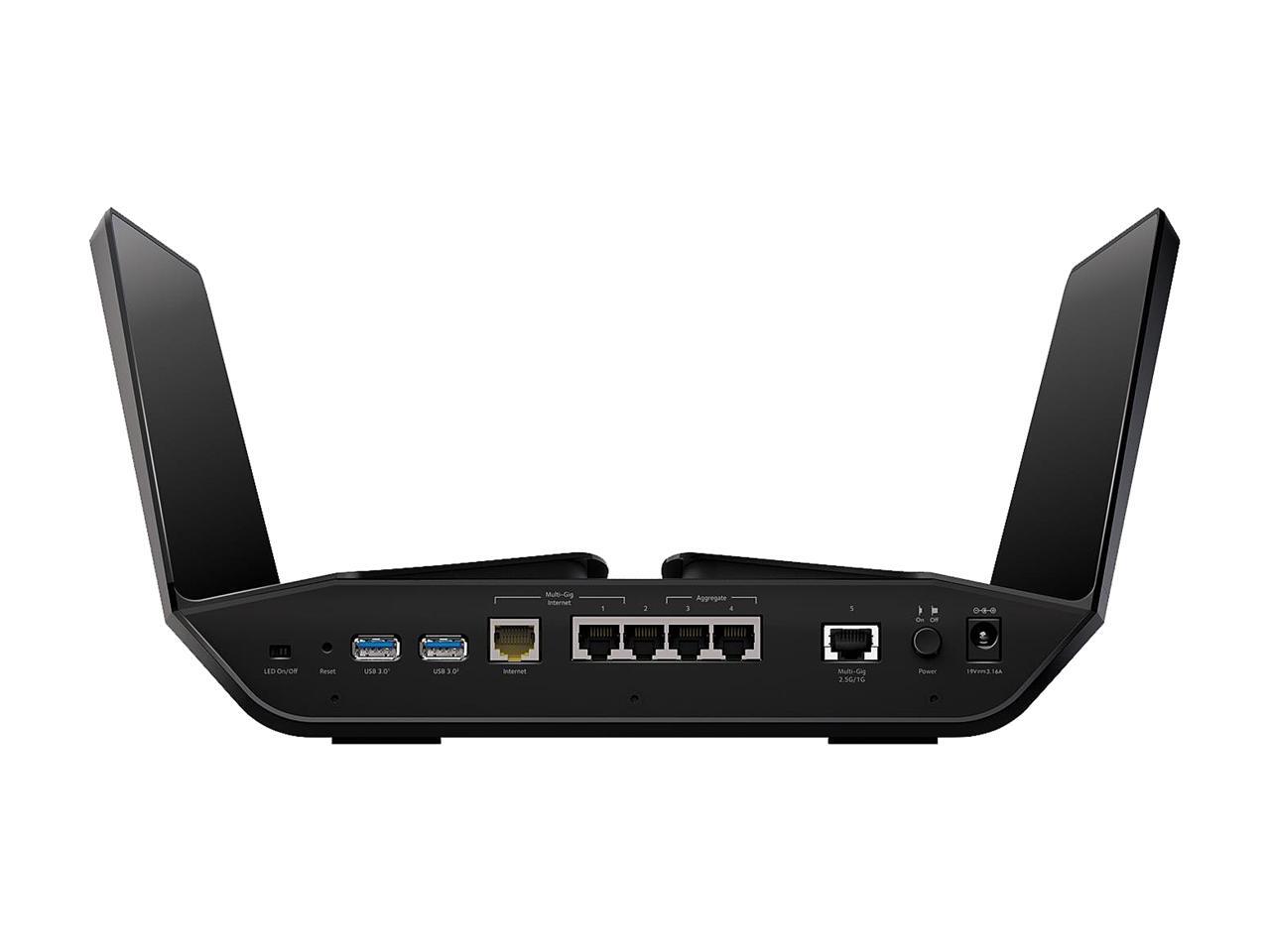
* NO voice even with the outrageously EXPENSVE NETGEAR Nighthawk Cable
Modem WiFi Router Combo (C7800) - Compatible with Cable Providers
Including Xfinity by Comcast, Cox, Spectrum | Cable Plans Up to 2
Gigabits | AC3200 WiFi Speed | DOCSIS 3.1
* NO voice NETGEAR Nighthawk Cable Modem WiFi Router Combo (C7800) - Compatible with Cable Providers Including Xfinity by Comcast, Cox,
Spectrum | Cable Plans Up to 2 Gigabits | AC3200 WiFi Speed | DOCSIS 3.1
Above exhausts that "bunch".
Like i meant to say there NO Docsis 3.1 modems with WiFi and telephone (voice).
Thanks.
Robert Baer wrote:* NO WiFi. Nice tho, 4 Ethernet and 2 telephones.
danny burstein wrote:
In <wMtGH.47798$E44.31944@fx15.iad> Robert Baer* NO voice (telephone)
<robertbaer@localnet.com> writes:
I now have a Technicolor 8305C cable modem, Docsis 3.0 that supports >>>> Ethernet connection to the computer, 2 telephones, and WiFi.
Had it for maybe 8 years, still works great.
Was told to upgrade to take advantage of higher internet speed, so
need a Docsis 3.1 modem.
I have so far wasted 2 hours trying to find such a beast; That search >>>> term in Amazon gets me a bunch of cable modems, half Docsis 3.0 and few >>>> modems with WiFi.
Are there NO Docsis 3.1 modems with WiFi?
https://www.amazon.com/docsis-3-1-modem-wireless-router/s?k=docsis+3.1+modem+and+wireless+router
gets me a bunch, including (just as one example):
https://www.amazon.com/ARRIS-Surfboard-Gigabit-Certified-Xfinity/dp/B07M9J3XW2
* NO voice even with the outrageously EXPENSVE NETGEAR Nighthawk Cable
Modem WiFi Router Combo (C7800) - Compatible with Cable Providers
Including Xfinity by Comcast, Cox, Spectrum | Cable Plans Up to 2
Gigabits | AC3200 WiFi Speed | DOCSIS 3.1
* NO voice NETGEAR Nighthawk Cable Modem WiFi Router Combo (C7800) -
Compatible with Cable Providers Including Xfinity by Comcast, Cox,
Spectrum | Cable Plans Up to 2 Gigabits | AC3200 WiFi Speed | DOCSIS 3.1
Above exhausts that "bunch".
Like i meant to say there NO Docsis 3.1 modems with WiFi and
telephone (voice).
Thanks.
https://www.newegg.com/netgear-cm1150v-100nas-modem-router-combo/p/N82E16825124027
# Two security bulletins at the bottom.--- Synchronet 3.20a-Win32 NewsLink 1.114
https://www.netgear.com/support/product/CM1150V.aspx
It may have an Intel PUMA inside. You'll have to research the
PUMA saga, to decide whether a PUMA 7 is safe to use or not.
There is also an optional power brick with battery backup which
sits outside the CM1150V, and provides telephone service when the
house power is off. It's based on Lithium, rather than the
alternate chemistries used in the past on voice-equipped kit.
One customer review mentions "crashing", in which case you'd
return it within the return period.
*******
There is an Arris TG9442 here, with Broadcom chipset. It only
has two LAN ports. It's unobtanium, can't find it, released
nominally 2019, perhaps hasn't had the blessing of a NA cable co.
http://en.techinfodepot.shoutwiki.com/wiki/List_of_DOCSIS_Cable_Modems
No idea whether an external brick battery-backup is available.
*******
It's relatively difficult to select a box which is issue
free. Like, did the 2017 example receive a "Cable Haunt" patch ?
Or a patch for the two exploits since then ?
I'm also not a fan of units with only Quick Install Guide two
page PDF files either. That's usually a sign there isn't
a full-featured port-forwarding QOS interface to use from
a web browser. My last "properly documented" networking box
here, was years and years ago. The modem I've got now, has
the "dummy interface", and you can barely flip it to bridged mode.
When they offer WAN and LAN ports, those port *could* be off
the same network switch chip or hardware block. In which case the
WAN port just has the interfaces swapped (in the old days, would
need a crossover cable). Now, when one of those boxes offers
a 2.5Gbit WAN RJ45, is that compatible with a RealTek 2.5Gbit/sec
based external four port switch ? So you can run 2.5Gbit networking ?
Having to think about that, is what happens when a standard claims
to offer absurdly high download BW.
I'm sure you'll find something, but it will likely contain
Intel PUMA 7, and you'll have to try to find info. (From a web site
that has not received legal threats etc.) This is Intel we're
talking about here.
Paul
Paul wrote:
https://www.newegg.com/netgear-cm1150v-100nas-modem-router-combo/p/N82E16825124027
* NO WiFi. Nice tho, 4 Ethernet and 2 telephones.
Believe i need WiFi as in shadowland and "smart" phone BAERly works
with one bar.
* Talk about incompatibility..I remember a few years ago i fiddled
around with Google Maps, satellite view of 3928 14th Ave SE looking at
the round pavers by the management office.
Resolution maybe 1.5 pixels in WinXP and 4 pixels in Win7.
Now, same equipment, same OS; "resolution" if you want to call it that
is at best one quarter of the remembered original.
And one of the "informative" e-mails from Xfinity said i am paying for more bandwidth and should consider "upgrading" to take advantage;
offering 3 Docsis 3.1 modems as choices.
Methinks they purposely throttled the bandwidth to give excuse for "upgrading" to Docsis 3.1.
Naturally, they rent them out..at a higher FEE than previous grabrate
of $10/mo.
Cannot win for losing.
Robert Baer wrote:*
Paul wrote:
https://www.newegg.com/netgear-cm1150v-100nas-modem-router-combo/p/N82E16825124027
* NO WiFi. Nice tho, 4 Ethernet and 2 telephones.
Believe i need WiFi as in shadowland and "smart" phone BAERly works
with one bar.
* Talk about incompatibility..I remember a few years ago i fiddled
around with Google Maps, satellite view of 3928 14th Ave SE looking at
the round pavers by the management office.
Resolution maybe 1.5 pixels in WinXP and 4 pixels in Win7.
Now, same equipment, same OS; "resolution" if you want to call it
that is at best one quarter of the remembered original.
And one of the "informative" e-mails from Xfinity said i am paying
for more bandwidth and should consider "upgrading" to take advantage;
offering 3 Docsis 3.1 modems as choices.
Methinks they purposely throttled the bandwidth to give excuse for
"upgrading" to Docsis 3.1.
Naturally, they rent them out..at a higher FEE than previous
grabrate of $10/mo.
Cannot win for losing.
Comcast has a list by the way.
This will be the most valuable link in the posting.
https://approvedmodemlist.com/comcast-xfinity-approved-modems/
*******
This page has some, I'm assuming, competing models.
https://www.netgear.com/home/wifi/modems/cm1150v
2.5Gbps Max download, Voice, DOCSIS 3.1 (CM2050V) ~$300
2.5Gbps Max download, DOCSIS 3.1 (CM2000)
2 Gbps Max download, DOCSIS 3.1 (CM1200)
2 Gbps Max download, Voice, DOCSIS 3.1 (CM1150V) $249.99
1 Gbps Max download, DOCSIS 3.1 (CM1000)
https://www.netgear.com/media/CM1150V_tcm148-72915.pdf Can't see Wifi...* Yeah; had the same impression until i did some digging.
I don't know how I got the idea it had Wifi. I was
browsing some third-party summary sight and it was
claiming 3x3 + 4x4 MIMO. But it's not there.
cm1150v* What is this bit on color? All of the specs I have seen say "black"
"4 Gigabit Ethernet ports for faster access & downloads - with
port aggregation where 2 ports can combine to double maximum wired speeds"
*************************************************************************
One of the "questions and answers" on the previous unit, claims
the 4x1GbE connectors are for link aggregation (teaming mode) connection
to other equipment). This one on the other hand, has a *2.5Gbit/sec* standard
of Ethernet connector on it, thus the goofy choice of a yellow connector.
You would need a 2.5Gbit/sec switch to distribute the flow from
this, without limitations. The link aggregation idea of the previous
unit, limits a download to "only" 1 gigabit per second (because that's
how teaming works, only the aggregate, the total of all connections
is higher than a gigabit worth). With teaming, the Speedtest.net
would only be 1 gigabit, not 2 gigabits.
https://www.netgear.com/home/wifi/modems/cm2050v* Battery backup...my Technicolor ha a place for an expensive battery
It is $299 and has no battery backup, and is for Xfinity/Comcast.
https://www.bestbuy.com/site/netgear-nighthawk-32-x-8-docsis-3-1-voice-cable-modem/6425815.p?skuId=6425815&intl=nosplash
https://www.netgear.com/media/CM2050V_tcm148-96329.pdf
**************************************************************************
https://www.commscope.com/product-type/broadband-video-devices/broadband-devices/docsis-3.1-gateways-modems/
Probably this one is too new.
Seeing as the 9442 did not appear at retail, what are the
odds that the 9452 will appear at retail.
https://www.businesswire.com/news/home/20200923005104/en/CommScope-Introduces-Two-New-DOCSIS-3.1-Home-Gateways-with-Wi-Fi-6
The TG9452 telephony gateway
enables the delivery of data, voice and video services, <===
while the DG9450 gateway supports data and video.
Both have 4×4 802.11ax dual-band wireless radios, offering superior
Wi-Fi performance in dense environments, with high data rates over
Wi-Fi at an increased range. For multigigabit connectivity around
the house, both provide three Ethernet ports, one supporting
2.5Gbps Ethernet, and a MoCA 2.0 port for home networking.
I can find one reference to it here, so maybe it was only offered as a rental.
The 11Mbps implies the very lowest 2.4GHz Wifi standard is working
for this user.
https://h30434.www3.hp.com/t5/Notebook-Wireless-and-Networking/Slow-connection-speed-on-WIFI-and-ethernet/td-p/7524747
**************************************************************************
That leaves connecting the CM2050V modem to a separate router.
https://www.netgear.com/home/wifi/routers/rax200
Now, this seems to be out of stock. And out of their minds.
It's possible in non-COVID times, this might be slightly lower
in price, but probably not by that much. Tri-band to me, suggests
a unit that support mesh extension so that multiple routers
can be set up in a really big McMansion and the backhaul between
them is done on the top band, leaving the other two (2.4GHz, 5GHz)
to connect to clients.
NETGEAR Nighthawk RAX200 - Wireless router
5-port switch - GigE, 2.5 GigE, 802.11ax - 802.11a/b/g/n/ac/ax - Tri-Band $602
https://www.newegg.com/p/0E6-0019-00436
"Ships from United Kingdom. Most customers receive within 7-32
days." <=== Beuler???
So for $300 + $600, you can has a buzzword compliant, power wasting,
steaming pile of technology.
https://c1.neweggimages.com/ProductImageCompressAll1280/33-222-017-V02.jpg
So the yellow port on the RAX200 would plug into the yellow port
on the CM2050V.
There are five output ports. Four GbE ports, two of which support teaming (which is a "who cares really" technology). The fifth port is a 2.5GbE
port,
which allows the whole bandwidth of the modem to be offered in its
entirety, to a 2.5GbE (RealTek) equipped brand-new PC.
The CM1150V is more practical, less Star Trek Enterprise. But
the connections for the average user would be GbE ones, suited
to most existing PCs. Not a lot of PCs have 2.5GbE ports as
a standard feature. You can likely find retail motherboards
to build your own 2.5Gbit/sec interfacing PC. There were some
plugin cards that offered 2.5G/10G wired connections for $100 or so.
The company was bought out, and there was no WinXP driver to be
using the card in a WinXP PC. Likely Win7/8/10 material for
that particular card. That's one of the reasons I didn't buy any.
*******
In conclusion, you have the master list in the very first
link above, and can sally forth on your search.
Be aware, that Wifi is quite quite sensitive to greenfield
and legacy equipment and the need to back off to keep
all devices happy. The chances of getting anywhere near
the top Wifi rates are zero. If you lived on a farm,
were miles from any neighbor, had expunged every stinking
computer you owned, got a machine with an Intel AX200,
*maybe* it would work at some glorious speed. Otherwise,
you're just delusional.
Part of me picking the RAX200, was so there'd be at least
one port with 2.5GbE on it as an output. And most realistically,
you would connect a *third* box, a 2.5GbE in to (4) 2.5GbE out,
to get 2.5GbE service to all the PCs with 2.5GbE capability.
I would select a cheaper Wifi box with regular GbE ports
if not trying to achieve Speedtest.net test conditions.
You can add 2.5GbE wired, to existing PCs having PCIe slots. $30
https://www.amazon.com/Gigabit-Ethernet-Express-Controller-Converter/dp/B07RF4SZ8R
Paul
Paul wrote:
Robert Baer wrote:*
Paul wrote:
https://www.newegg.com/netgear-cm1150v-100nas-modem-router-combo/p/N82E16825124027
* NO WiFi. Nice tho, 4 Ethernet and 2 telephones.
Believe i need WiFi as in shadowland and "smart" phone BAERly works
with one bar.
* Talk about incompatibility..I remember a few years ago i fiddled
around with Google Maps, satellite view of 3928 14th Ave SE looking
at the round pavers by the management office.
Resolution maybe 1.5 pixels in WinXP and 4 pixels in Win7.
Now, same equipment, same OS; "resolution" if you want to call it
that is at best one quarter of the remembered original.
And one of the "informative" e-mails from Xfinity said i am paying
for more bandwidth and should consider "upgrading" to take advantage;
offering 3 Docsis 3.1 modems as choices.
Methinks they purposely throttled the bandwidth to give excuse for
"upgrading" to Docsis 3.1.
Naturally, they rent them out..at a higher FEE than previous
grabrate of $10/mo.
Cannot win for losing.
Comcast has a list by the way.
This will be the most valuable link in the posting.
https://approvedmodemlist.com/comcast-xfinity-approved-modems/
*******
This page has some, I'm assuming, competing models.
https://www.netgear.com/home/wifi/modems/cm1150v
2.5Gbps Max download, Voice, DOCSIS 3.1 (CM2050V) ~$300
2.5Gbps Max download, DOCSIS 3.1 (CM2000)
2 Gbps Max download, DOCSIS 3.1 (CM1200)
2 Gbps Max download, Voice, DOCSIS 3.1 (CM1150V) $249.99
1 Gbps Max download, DOCSIS 3.1 (CM1000)
So, only 2 out of these magical 5 support my starving telephone.
Betcha the DOCSIS 3.1 Cable Modem (CM2050V) Nighthawk® Multi-Gig 2.5Gbps Cable Modem for XFinity Voice has NO WiFi.
Now, i do not care about the speed on the WiFi, that is to support my "smart" phone which needs 3+bars to work reasonably well and i am lucky
to get 1 bar almost anywhere.
It is an Android meaning crap for calls; iPhone works ni same environment and reads as if 5+ bars.
Phone switches over to WiFi for calls.
** Interesting; from that approved list there IS one that supports phone
and WiFi*: NETGEAR C7100V...*but does that "WiFi Router" mean i gots tew $$pay$$ for yet another box for Tx/Rx air time?
Then there are apparent contenders from the full list:
ARRIS SVG2482AC ♦ 24×8 1.0 Gbps
ARRIS TG862R 8×4 343 Mbps
Motorola MT7711 24×8 1 Gbps
NETGEAR C7100V 24×8 960 Mbps
Well, am i glad that i am a liar here, there seems to be at least one cable modem that supports a telephone and WiFi.
So (later) some research on those.
**** THANKS ****
* Yeah; had the same impression until i did some digging.
https://www.netgear.com/media/CM1150V_tcm148-72915.pdf Can't see
Wifi...
I don't know how I got the idea it had Wifi. I was
browsing some third-party summary sight and it was
claiming 3x3 + 4x4 MIMO. But it's not there.
* What is this bit on color? All of the specs I have seen say "black"
cm1150v
"4 Gigabit Ethernet ports for faster access & downloads - with
port aggregation where 2 ports can combine to double maximum wired >> speeds"
*************************************************************************
One of the "questions and answers" on the previous unit, claims
the 4x1GbE connectors are for link aggregation (teaming mode) connection
to other equipment). This one on the other hand, has a *2.5Gbit/sec*
standard
of Ethernet connector on it, thus the goofy choice of a yellow connector.
You would need a 2.5Gbit/sec switch to distribute the flow from
this, without limitations. The link aggregation idea of the previous
unit, limits a download to "only" 1 gigabit per second (because that's
how teaming works, only the aggregate, the total of all connections
is higher than a gigabit worth). With teaming, the Speedtest.net
would only be 1 gigabit, not 2 gigabits.
and by golly, the case is painted black.
[making fun of the case color..now know 'color" in that situation
means cable color]
* Battery backup...my Technicolor ha a place for an expensive battery
https://www.netgear.com/home/wifi/modems/cm2050v
It is $299 and has no battery backup, and is for Xfinity/Comcast.
for backup, and Comcast claims the battery does not last; neither giving hours, nor lifetime.
So, what is the big deal, just plug it into your overburdened UPS.
https://www.bestbuy.com/site/netgear-nighthawk-32-x-8-docsis-3-1-voice-cable-modem/6425815.p?skuId=6425815&intl=nosplash
https://www.netgear.com/media/CM2050V_tcm148-96329.pdf
************************************************************************** >>
https://www.commscope.com/product-type/broadband-video-devices/broadband-devices/docsis-3.1-gateways-modems/
Probably this one is too new.
Seeing as the 9442 did not appear at retail, what are the
odds that the 9452 will appear at retail.
https://www.businesswire.com/news/home/20200923005104/en/CommScope-Introduces-Two-New-DOCSIS-3.1-Home-Gateways-with-Wi-Fi-6
The TG9452 telephony gateway
enables the delivery of data, voice and video services, <===
while the DG9450 gateway supports data and video.
Both have 4×4 802.11ax dual-band wireless radios, offering superior >> Wi-Fi performance in dense environments, with high data rates over
Wi-Fi at an increased range. For multigigabit connectivity around
the house, both provide three Ethernet ports, one supporting
2.5Gbps Ethernet, and a MoCA 2.0 port for home networking.
I can find one reference to it here, so maybe it was only offered as a
rental.
The 11Mbps implies the very lowest 2.4GHz Wifi standard is working
for this user.
https://h30434.www3.hp.com/t5/Notebook-Wireless-and-Networking/Slow-connection-speed-on-WIFI-and-ethernet/td-p/7524747
************************************************************************** >>
That leaves connecting the CM2050V modem to a separate router.
https://www.netgear.com/home/wifi/routers/rax200
Now, this seems to be out of stock. And out of their minds.
It's possible in non-COVID times, this might be slightly lower
in price, but probably not by that much. Tri-band to me, suggests
a unit that support mesh extension so that multiple routers
can be set up in a really big McMansion and the backhaul between
them is done on the top band, leaving the other two (2.4GHz, 5GHz)
to connect to clients.
NETGEAR Nighthawk RAX200 - Wireless router
5-port switch - GigE, 2.5 GigE, 802.11ax - 802.11a/b/g/n/ac/ax -
Tri-Band $602
https://www.newegg.com/p/0E6-0019-00436
"Ships from United Kingdom. Most customers receive within 7-32
days." <=== Beuler???
So for $300 + $600, you can has a buzzword compliant, power wasting,
steaming pile of technology.
https://c1.neweggimages.com/ProductImageCompressAll1280/33-222-017-V02.jpg >>
So the yellow port on the RAX200 would plug into the yellow port
on the CM2050V.
There are five output ports. Four GbE ports, two of which support teaming
(which is a "who cares really" technology). The fifth port is a 2.5GbE
port,
which allows the whole bandwidth of the modem to be offered in its
entirety, to a 2.5GbE (RealTek) equipped brand-new PC.
The CM1150V is more practical, less Star Trek Enterprise. But
the connections for the average user would be GbE ones, suited
to most existing PCs. Not a lot of PCs have 2.5GbE ports as
a standard feature. You can likely find retail motherboards
to build your own 2.5Gbit/sec interfacing PC. There were some
plugin cards that offered 2.5G/10G wired connections for $100 or so.
The company was bought out, and there was no WinXP driver to be
using the card in a WinXP PC. Likely Win7/8/10 material for
that particular card. That's one of the reasons I didn't buy any.
*******
In conclusion, you have the master list in the very first
link above, and can sally forth on your search.
Be aware, that Wifi is quite quite sensitive to greenfield
and legacy equipment and the need to back off to keep
all devices happy. The chances of getting anywhere near
the top Wifi rates are zero. If you lived on a farm,
were miles from any neighbor, had expunged every stinking
computer you owned, got a machine with an Intel AX200,
*maybe* it would work at some glorious speed. Otherwise,
you're just delusional.
Part of me picking the RAX200, was so there'd be at least
one port with 2.5GbE on it as an output. And most realistically,
you would connect a *third* box, a 2.5GbE in to (4) 2.5GbE out,
to get 2.5GbE service to all the PCs with 2.5GbE capability.
I would select a cheaper Wifi box with regular GbE ports
if not trying to achieve Speedtest.net test conditions.
You can add 2.5GbE wired, to existing PCs having PCIe slots. $30
https://www.amazon.com/Gigabit-Ethernet-Express-Controller-Converter/dp/B07RF4SZ8R
Paul
PS: that bit about the pavers seen at 4 pixels years ago using Win7 and
now gone; the present resolution is worse than i thought; we have been dumbed down by a factor of 8 as far as i can tell.
If this crap continues, we may need multi-TerrorHertz computers to
get TTY speed results at the keyboard/console.
* After wasting many hours of research, it seems i am NOT a liar; the
ONLY approved cable modem that supports voice and WiFi is the Netgear C7100V, and the damn thing is Docsis 3.0!
So why should i #pend money for a modem that does what my Technicolor does?
Gurr!
Robert Baer wrote:Well, remember what i said about Google Map resolution going down
* After wasting many hours of research, it seems i am NOT a liar; the
ONLY approved cable modem that supports voice and WiFi is the Netgear
C7100V, and the damn thing is Docsis 3.0!
So why should i #pend money for a modem that does what my
Technicolor does?
Gurr!
Damn. I wanted to hear how much better your new $900.00 stack
of networking boxes was working :-) And what speedtest.net
benchmark you got.
Paul
Paul wrote:
Robert Baer wrote:Well, remember what i said about Google Map resolution going down
* After wasting many hours of research, it seems i am NOT a liar; the
ONLY approved cable modem that supports voice and WiFi is the Netgear
C7100V, and the damn thing is Docsis 3.0!
So why should i #pend money for a modem that does what my
Technicolor does?
Gurr!
Damn. I wanted to hear how much better your new $900.00 stack
of networking boxes was working :-) And what speedtest.net
benchmark you got.
Paul
about a factor of 8?
Well i moved and Comcast changed my service ("upgrade") due to change
of account.
So now they are giving me a higher data rate which requires Docsis3.1
and that killed the use of my modem for telephone service.
Internet still works; operationally drags a bit tho.
I think Comcast did this on purpose, so i will have to get that ONE
Docsis 3.1 cable modem that supports Ethernet and voice but NOT WiFi.
That way, i can have my telephone back!
Pisses me off no end.
Why do I insist on WiFi? To support my "smart" phone in this "1-3 bar" environment.
Robert Baer wrote:* Pete and re-Pete: there are no Docsis 3.1 cable modems that support Ethernet, voice, and WiFi.
Paul wrote:
Robert Baer wrote:Well, remember what i said about Google Map resolution going down
* After wasting many hours of research, it seems i am NOT a liar;
the ONLY approved cable modem that supports voice and WiFi is the
Netgear C7100V, and the damn thing is Docsis 3.0!
So why should i #pend money for a modem that does what my
Technicolor does?
Gurr!
Damn. I wanted to hear how much better your new $900.00 stack
of networking boxes was working :-) And what speedtest.net
benchmark you got.
Paul
about a factor of 8?
Well i moved and Comcast changed my service ("upgrade") due to
change of account.
So now they are giving me a higher data rate which requires
Docsis3.1 and that killed the use of my modem for telephone service.
Internet still works; operationally drags a bit tho.
I think Comcast did this on purpose, so i will have to get that ONE
Docsis 3.1 cable modem that supports Ethernet and voice but NOT WiFi.
That way, i can have my telephone back!
Pisses me off no end.
Why do I insist on WiFi? To support my "smart" phone in this "1-3
bar" environment.
But isn't it one of these plus a Wifi, and you're done ?
https://www.netgear.com/home/wifi/modems/cm1150v* Does not support WiFi. Seems crazy to have a clutter of equipment just
That has four Ethernet off the back. One of the Ethernet can* Seems crazy to have a clutter of equipment just to have WiFi.
be run to a separate Wifi box.
TP-Link Archer A8 AC1900 Wireless MU-MIMO WiFi Router $80* My now useless Technicolor TC8405C has it all, it is Docsis 3.0 - so
https: //www.newegg.com/tp-link-archer-a8/p/0E6-002W-006B7
Paul
* My now useless Technicolor TC8405C has it all, it is Docsis 3.0 - so
would that do for that WiFi scheme? Cost $0.00
Do not care about speed, to support my "smart' phone only.
| Sysop: | Gargoyle |
|---|---|
| Location: | Wayne, OK |
| Users: | 9 |
| Nodes: | 10 (0 / 10) |
| Uptime: | 148:20:34 |
| Calls: | 135 |
| Calls today: | 1 |
| Files: | 309 |
| Messages: | 78,952 |
| Posted today: | 1 |